
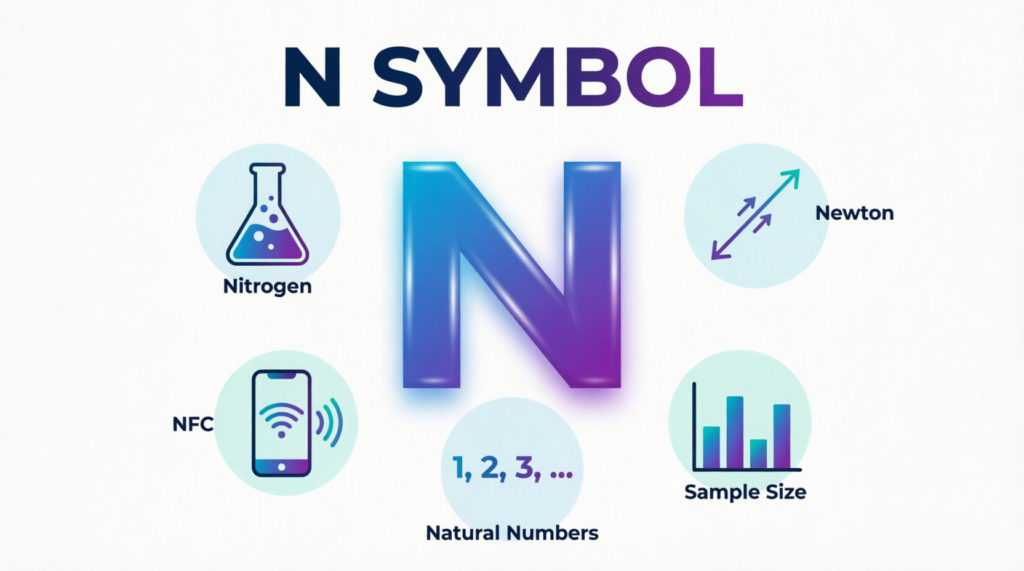
Have you noticed a small N symbol at the top of your phone screen and wondered what it means? You’re not alone. Many Android users spot this icon for the first time after updating their phone, changing settings, or connecting a new device.
The good news is that the N symbol usually isn’t a warning or a sign that something is wrong. In most cases, it simply tells you that a built-in wireless feature is turned on. Knowing what it does can help you decide whether to leave it enabled or switch it off to save battery or avoid accidental connections.
In this guide, you’ll learn exactly what the N symbol means, why it appears, how it works, and when you should turn it on or off.
Featured Snippet
The N symbol on a phone usually means Near Field Communication (NFC) is enabled. NFC is a short-range wireless technology that lets your phone make contactless payments, pair with compatible devices, share small amounts of data, and read NFC tags. The icon disappears when NFC is turned off.
What Does the N Symbol Mean on a Phone?
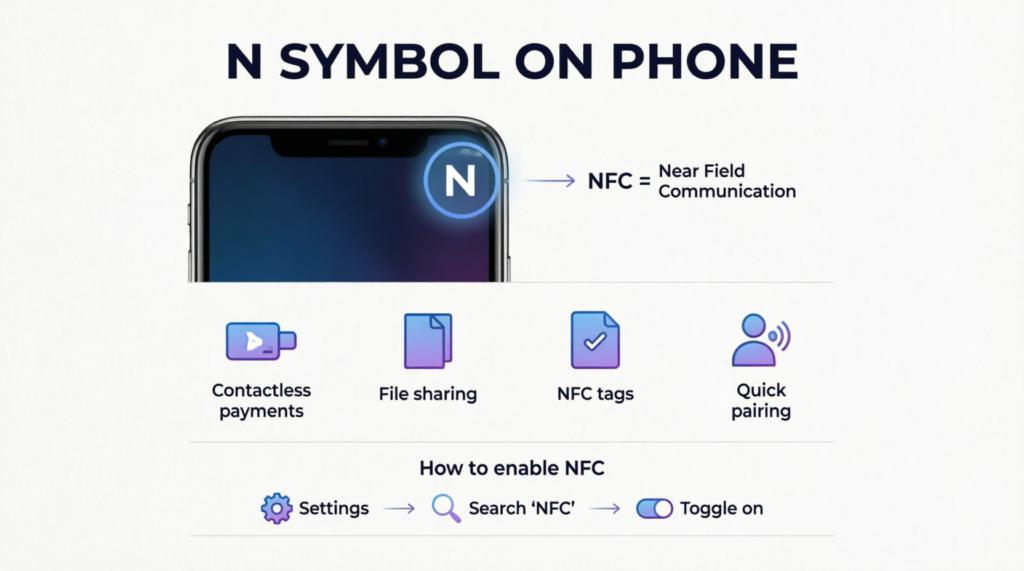
The N symbol stands for Near Field Communication (NFC). When you see this icon in your phone’s status bar, it means your device’s NFC feature is active.
NFC allows two compatible devices to exchange information when they’re held very close together—typically within about 1.5 inches (4 centimeters).
Unlike Bluetooth or Wi-Fi, NFC doesn’t require pairing for many tasks. You simply tap or place one device near another, and the connection happens almost instantly.
Many Android phones display the N icon whenever NFC is enabled. However, some phone brands hide the icon even though NFC is turned on.
At a Glance
| Symbol | Meaning | Should You Worry? |
|---|---|---|
| N | NFC is turned on | No |
| N disappears | NFC is turned off | Normal |
What Is NFC?
NFC stands for Near Field Communication, a wireless technology designed for quick communication over extremely short distances.
Think of it as a digital handshake between two compatible devices.
Instead of connecting across a room like Wi-Fi or Bluetooth, NFC only works when devices are almost touching.
Common examples include:
- Paying at a grocery store checkout
- Tapping your phone to a transit terminal
- Pairing wireless headphones
- Reading smart tags
- Unlocking certain smart locks
Because the devices must be very close together, NFC is generally considered safer than many longer-range wireless technologies.
Why Is the N Symbol Showing on My Phone?
The icon appears because NFC has been switched on.
There are several reasons why this may happen:
- You enabled NFC yourself.
- A recent software update turned it on.
- You restored your phone from a backup.
- A payment app requested NFC.
- The feature was enabled during phone setup.
Simply seeing the icon doesn’t mean your phone is actively sending information.
It only means the feature is available if you choose to use it.
What Can You Do With NFC?
NFC powers many everyday tasks that make using your phone faster and more convenient.
Make Contactless Payments
One of the most popular uses is paying without a physical credit card.
You can hold your phone near a payment terminal to complete purchases using supported mobile wallet apps.
This method is commonly accepted at:
- Grocery stores
- Restaurants
- Gas stations
- Pharmacies
- Retail stores
- Public transportation systems
Pair Wireless Devices
Some accessories support instant NFC pairing.
Instead of searching through Bluetooth settings, you simply tap your phone against the device to begin pairing.
Examples include:
- Speakers
- Headphones
- Cameras
- Printers
Read NFC Tags
Many businesses and homes use small NFC tags that trigger actions when tapped.
Depending on how they’re programmed, a tag can:
- Open a website
- Connect to Wi-Fi
- Launch an app
- Save contact information
- Display product details
Share Small Files
Android phones can use NFC to help establish quick connections for sharing information.
Although modern Android versions now rely more on nearby sharing features, NFC still plays a role in some device-to-device connections.
Access Smart Devices
Some smart home products use NFC for secure access or setup.
Examples include:
- Smart locks
- Security systems
- Hotel room access
- Office entry systems
Is the N Symbol Different on Android and iPhone?
Yes.
Most Android phones may display an N icon when NFC is enabled.
On iPhones, NFC works differently.
Apple generally doesn’t show an N symbol in the status bar. Instead, NFC operates in the background for supported features like contactless payments and reading compatible tags.
Here’s a quick comparison:
| Feature | Android | iPhone |
|---|---|---|
| N status icon | Often visible | Usually not shown |
| NFC settings | User-controlled | Mostly automatic |
| Contactless payments | Yes | Yes |
| Read NFC tags | Yes | Yes (supported models) |
Is It Safe to Leave NFC Turned On?
For most people, yes.
NFC was designed with security in mind. Since it only works over a very short distance, someone would need to bring another NFC device extremely close to your phone.
Many mobile payment systems also add extra protection by requiring:
- Fingerprint authentication
- Face recognition
- PIN verification
- Device encryption
- Tokenized payment information
Even if NFC is enabled, payments usually can’t be made unless you unlock your phone or verify your identity.
That said, it’s still smart to keep your phone updated and only use trusted payment apps.
Does NFC Drain Battery?
Battery usage is usually very small.
Because NFC only becomes active when another compatible device is extremely close, it consumes very little power while sitting idle.
For most users, leaving NFC turned on won’t noticeably reduce daily battery life.
If you’re trying to maximize every bit of battery during travel or emergencies, you can switch it off temporarily, but most people won’t notice any meaningful difference.
Should You Turn NFC Off?
That depends on how you use your phone.
You may want to keep NFC on if you:
- Pay with your phone regularly
- Use public transit with mobile tickets
- Connect NFC-enabled accessories
- Scan NFC tags
- Use smart locks or access systems
You may choose to turn NFC off if you:
- Never use contactless payments
- Don’t own NFC-compatible accessories
- Prefer disabling unused wireless features
- Want fewer status bar icons
For most users, leaving NFC enabled is perfectly fine and adds convenience without significant downsides.
How to Turn the N Symbol Off
If you don’t want the N icon showing in your status bar, you’ll need to disable NFC.
The exact steps vary by manufacturer, but they’re generally similar.
On Most Android Phones
- Open Settings.
- Tap Connected devices, Connections, or More connections.
- Select NFC.
- Turn the switch Off.
Once NFC is disabled, the N symbol usually disappears from the status bar.
Some phones also let you toggle NFC directly from the Quick Settings panel by swiping down from the top of the screen.
Why Doesn’t Every Phone Show the N Symbol?
Not every manufacturer uses the same status icons.
Some brands always display the NFC indicator, while others hide it to reduce clutter.
Whether you see the symbol depends on factors such as:
- Phone manufacturer
- Android version
- Custom software interface
- Carrier customization
- Status bar settings
Because of these differences, two Android phones with NFC enabled may look completely different.
Common Problems Related to the N Symbol
Although the N symbol is usually harmless, you might run into a few situations where it behaves differently than expected.
The N Symbol Won’t Go Away
If the icon stays on after you’ve turned NFC off, try these steps:
- Restart your phone.
- Double-check that NFC is disabled in Settings.
- Install any available software updates.
- Clear the system cache if your phone manufacturer recommends it.
- Reset network settings if the issue continues.
In rare cases, a software bug or custom Android interface may cause the icon to remain until the phone is restarted.
I Can’t Find the NFC Setting
Some budget smartphones don’t include NFC hardware at all. If your phone doesn’t support NFC, you won’t find an NFC option in Settings.
If your phone should support NFC but you can’t locate it:
- Search “NFC” in the Settings search bar.
- Check under Connections, Connected Devices, or Wireless & Networks.
- Review your phone’s specifications to confirm NFC support.
NFC Isn’t Working
If contactless payments or NFC tags aren’t working:
- Make sure NFC is turned on.
- Remove very thick or metal phone cases.
- Unlock your phone before tapping a payment terminal.
- Hold the back of your phone near the NFC reader.
- Confirm your payment app is set up correctly.
- Ensure the payment terminal supports contactless payments.
Common Myths About the N Symbol
Many people misunderstand what the N icon means. Let’s clear up some of the biggest myths.
| Myth | Reality |
|---|---|
| The N symbol means your phone has a virus. | False. It simply indicates NFC is enabled. |
| NFC constantly shares your personal data. | False. NFC only works at a very short distance and usually requires user interaction. |
| Keeping NFC on quickly drains your battery. | False. NFC uses very little power when idle. |
| The N symbol is a network problem. | False. It isn’t related to your cellular or Wi-Fi connection. |
| All phones display the N icon. | False. Many phones support NFC without showing the icon. |
Tips for Using NFC Safely
NFC is already designed with security in mind, but a few good habits can make it even safer.
- Keep your phone’s software up to date.
- Use a screen lock, fingerprint, or face unlock.
- Only install trusted payment and banking apps.
- Review your mobile wallet activity regularly.
- Turn NFC off if you know you won’t use it for an extended period.
- Avoid modifying your phone’s operating system, which can weaken built-in security.
These simple practices help protect both your device and your financial information.
How NFC Compares With Other Wireless Technologies
It’s easy to confuse NFC with Bluetooth or Wi-Fi because all three allow devices to communicate. However, each serves a different purpose.
| Feature | NFC | Bluetooth | Wi-Fi |
|---|---|---|---|
| Typical Range | Up to 4 cm (1.5 in.) | Up to 30 ft (10 m) or more | Up to hundreds of feet |
| Setup Required | Usually no | Yes | Yes |
| Speed | Low | Medium | High |
| Best For | Payments, quick pairing, tags | Audio devices, accessories | Internet access, large file transfers |
| Power Usage | Very low | Low | Higher |
The short operating range is one reason NFC is commonly used for secure, tap-to-use interactions.
Expert Insights
If you use your phone for contactless payments, public transportation, or smart home devices, leaving NFC enabled is usually the most convenient choice. The feature remains idle until another compatible device is brought close, so it isn’t constantly transmitting information.
If you never use NFC-related features, turning it off is perfectly reasonable. Doing so won’t affect calls, texting, internet access, GPS, Bluetooth, or most everyday phone functions.
The important thing to remember is that the N symbol is simply a status indicator—not a warning message.
Frequently Asked Questions
Does the N symbol mean my phone is being tracked?
No. The N icon only shows that NFC is enabled. It has nothing to do with GPS tracking, location services, or monitoring.
Can I remove the N symbol without turning NFC off?
On some Android phones, yes. Certain manufacturers allow you to hide status bar icons through system settings. On many devices, however, the icon disappears only when NFC is turned off.
Does every Android phone have NFC?
No. Many mid-range and premium phones include NFC, but some entry-level models do not.
Will NFC work without an internet connection?
Yes. Basic NFC communication doesn’t require Wi-Fi or mobile data. However, some services, such as mobile wallets, may need an internet connection during setup or for certain security checks.
Can NFC damage my phone?
No. NFC is a standard wireless technology designed for everyday use and won’t harm your device.
Why can’t I make contactless payments even though the N symbol is showing?
The payment app may not be configured correctly, your phone may be locked, your bank card may not be added, or the payment terminal may not support contactless transactions.
Is NFC the same as Bluetooth?
No. NFC is designed for very short-range communication and quick interactions, while Bluetooth is intended for longer-lasting wireless connections like headphones and speakers.
Can I use NFC with a phone case?
Usually, yes. Most standard plastic or silicone cases don’t interfere with NFC. Very thick or metal cases may reduce performance.
Does turning NFC off improve battery life?
Only slightly, if at all. NFC consumes very little power when it’s enabled but not actively being used.
Why does my friend’s phone have NFC but no N icon?
Phone manufacturers customize Android differently. Some display an NFC status icon, while others keep it hidden even when NFC is enabled.
Conclusion
Seeing the N symbol on your phone can be confusing at first, but it’s usually nothing to worry about. In most cases, it simply means Near Field Communication (NFC) is turned on and ready to use. This handy feature powers contactless payments, quick device pairing, smart tags, and other convenient tap-to-connect functions.
If you regularly use mobile payments or NFC-enabled accessories, it’s worth leaving the feature on. If you never use it, you can safely turn it off and the icon will usually disappear. Understanding what the N symbol represents helps you use your phone with more confidence and avoid mistaking a normal status icon for a problem.
Discover more post
What Does the Omega Symbol Mean in Electricity? A Simple Guide?2026
Wrench Symbol on Your Dashboard What It Really Means 2026
What Does the Triple Moon Symbol Mean? A Simple Guide 2026

Dan Brown is a professional content writer and symbolism researcher with over 6 years of experience in decoding symbols, signs, emojis, dreams, colors, and cultural meanings. He specializes in creating well-researched, easy-to-understand, and SEO-friendly content that helps readers discover the true meaning behind everyday symbols. As a lead contributor at SymbolSignn.com, Dan combines extensive research with practical insights to deliver accurate, engaging, and trustworthy articles. His mission is to make complex symbolic meanings simple, reliable, and accessible for readers around the world.